For companies and growing teams
Your hiring team, with an agent team behind it
One workspace
Everything a hiring team does, in one place
Command Center
Your daily briefing, goals, risks and the approvals waiting for you, next to the pipeline, agent tasks and a calendar of interviews and deadlines.Hiring projects
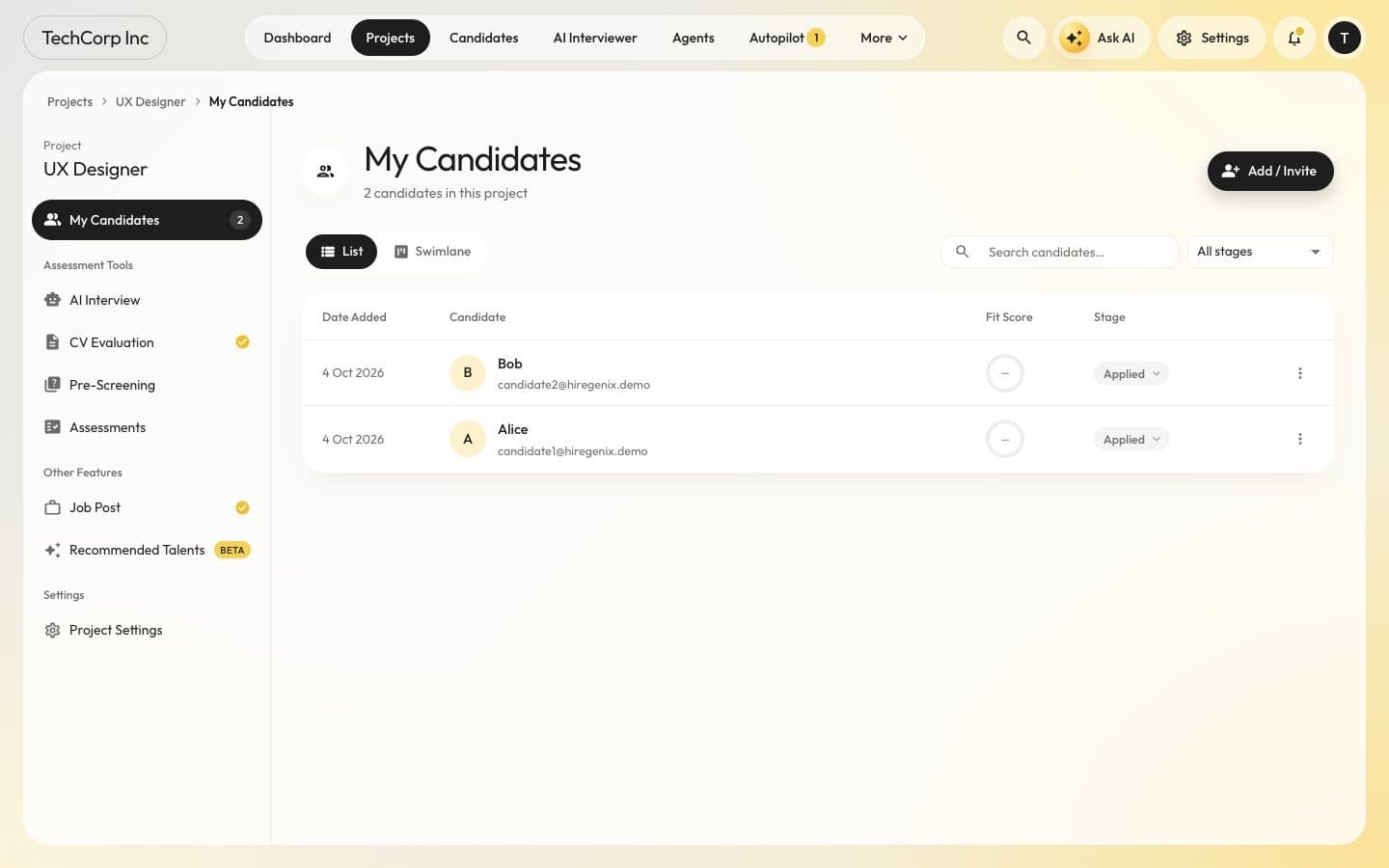
An applicant tracking system with list and swimlane views, CV evaluation against your criteria, job posting and recommended talent.Hiring Autopilot
Screens every applicant against the job, invites the right people to pre-screening and AI interviews and builds the shortlist. In its default mode, every rejection and every uncertain call waits for a person.Pre-screening and assessments
A consent step, a spoken introduction and competency questions, then adaptive multiple-choice questions; generated or uploaded tests with grading. Borderline results go to a human reviewer.AI interviews
A realtime voice interviewer and async video interviews scored from transcripts, proctored with consent through the Integrity Engine.Scheduling and scorecards
Interview panels, self-scheduling links for candidates, reminders and independent scorecards, with Google Calendar or Microsoft 365 once each person connects theirs.
Fair by default
Speed without cutting corners
Identity-blind screening
Screening leaves out name, email, phone and photo.Thin evidence never rejects
When screening confidence is low, the candidate goes to the pre-screening test or to a person instead.Calibrated to your hires
The advance threshold is calibrated from the scores of the people you hired.Fail-safe
If the autonomy policy cannot be read, adverse actions wait for a person. In Off mode the autopilot takes no steps at all.
Hiring Copilot
Ask about your hiring, in plain words
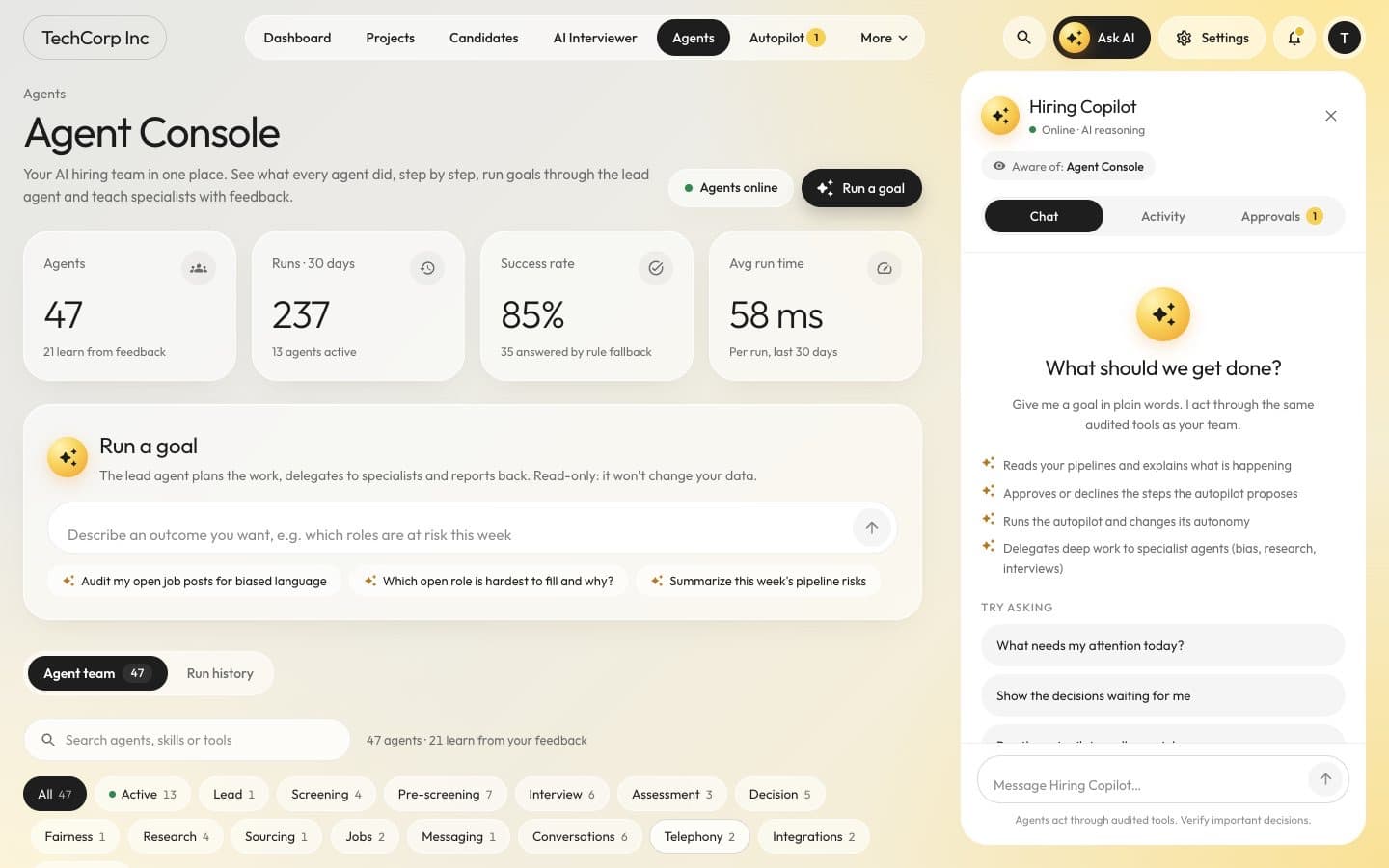
The Hiring Copilot sits beside every page and knows what you are looking at. It explains your pipelines, lists the decisions waiting for you, approves or declines proposed steps and changes the autopilot mode, but only when you ask, and only for managers. Deep work such as bias checks, research and interviews goes to specialist agents.
- “What needs my attention today?”
- “Which open role is hardest to fill, and why?”
- “Show the decisions waiting for me”
- “Summarise this week’s pipeline risks”
Offer to first day
Hiring does not stop at yes
Offers with approval chains
Terms inside the pay band, an approval chain with the hiring manager, HR and finance when an offer goes above the band, and negotiation suggestions that stay inside it. Nothing is sent without approval.Onboarding plans
As soon as an offer is accepted: tasks, a first-day schedule, a buddy, documents with consent per document and 30, 60 and 90-day check-ins.An HR helpdesk that cites its sources
New hires and employees ask policy questions; answers come only from your own documents, with a citation for every statement, or “I don’t know - ask HR”.Careers page and job distribution
Every company gets a careers page and an XML job feed. Job ads can go to the job boards you connect, and paid boards need approval.People analytics
Funnel, conversion, time to hire, source, spend and quality of hire, plus fairness figures from voluntary self-identification only.
Getting started
Up and running in four steps
Create your workspace
Sign up as an employer and set up your company workspace.Choose your autonomy
Start with Assist, where every invite, shortlist and rejection waits for your approval, or let the autopilot take the routine steps.You decide: The preset for your workspace and each job
Give a goal or open a project
Tell the AI CHRO what you need, or open a hiring project and post the job.Approve and hire
Work from the approvals inbox and the Command Center while agents handle the routine steps.You decide: Every adverse decision, offer and integrity outcome
Questions
Questions from hiring teams
Yes. Choose the Assist preset, or set individual actions to A1 so agents only suggest and your team acts. You can raise autonomy per workspace and per job later.
No. Scheduling works with Google Calendar and Microsoft 365 when people connect them, and with calendar invitations and a HireGenix video link when they do not.
Candidate messages carry an AI notice, and proctored stages start with an AI disclosure, the AI-use policy and a consent step.
Plans start at $99 per month, billed monthly or yearly up front. See the pricing page for every plan and its AI token allowance.
Bring your next hire to HireGenix
See how the agent team would handle one of your open roles, from the job post to the offer.