Platform
One AI CHRO. Departments of agents. People in charge.
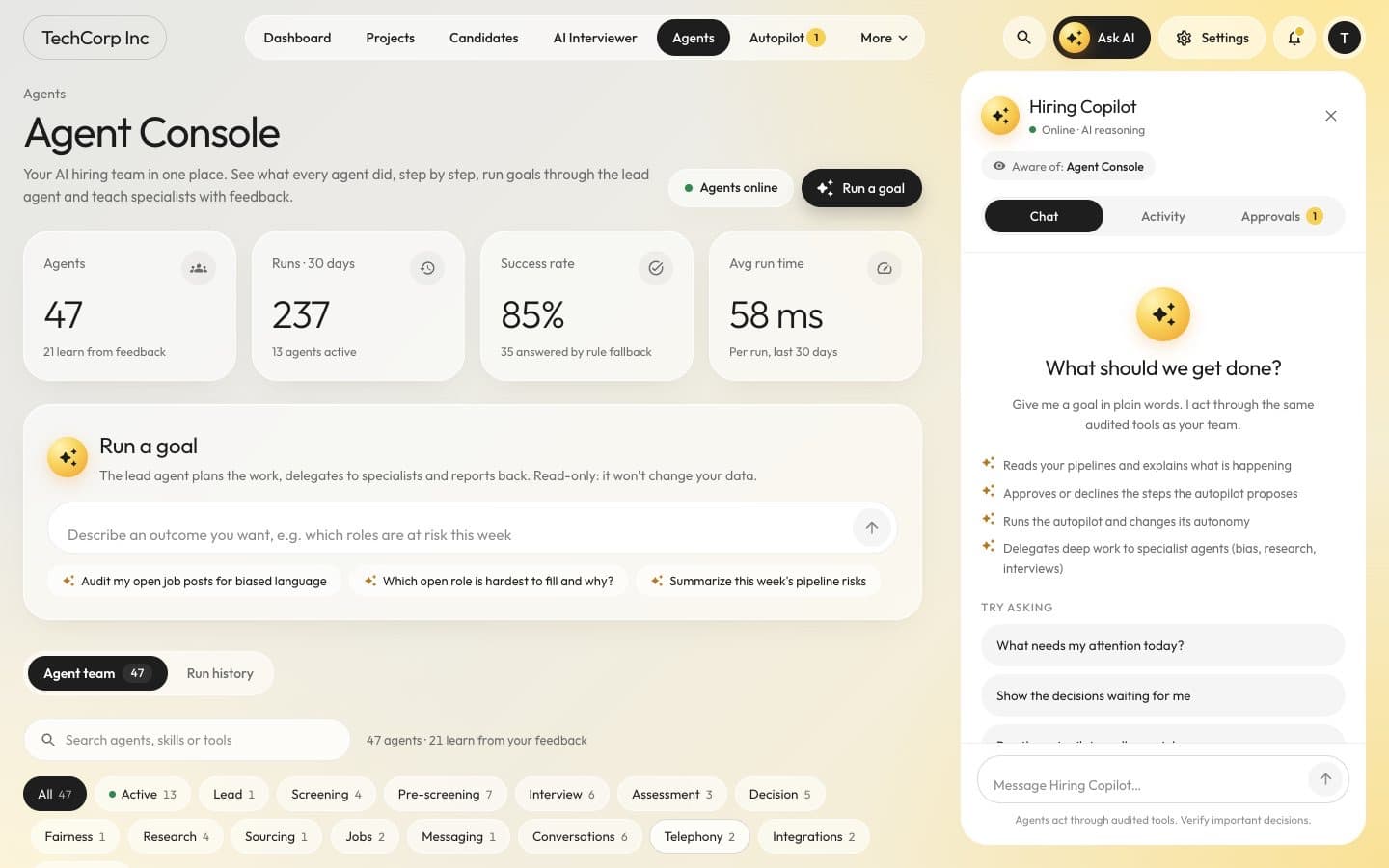
Goals and plans
Tell it the outcome. Approve the plan. Watch it run.
Set a goal
Describe an outcome in plain words, or give the AI CHRO a policy or a budget to work within.You decide: What you want, by when and within which budget
Approve the plan
The AI CHRO writes a versioned plan of milestones, each with an owner agent. Nothing starts until a person approves it.Who: AI CHRO
You decide: The plan and any re-plan
Agents do the work
The AI CHRO delegates to department heads, and they delegate to their specialists. A delegated task never gets more time, budget or autonomy than the task it came from.Who: Department heads and specialist agents
Health checks and re-planning
The AI CHRO watches pipeline coverage, stage conversion, time in stage, SLA breaches and budget burn, and re-plans when reality drifts.Who: AI CHRO
Briefings
Daily and weekly briefings per role: what happened, what needs you and what is at risk. Numbers come from queries, and an email digest arrives in each person’s local morning.Who: AI CHRO
The agent team
An org chart of AI agents
AI CHRO
Reports to your organization admins. Owns goals, plans, priorities, briefings, escalations, enforcement of policies and budgets.
Talent Acquisition
Led by the Head of Talent Acquisition
Requisitions, jobs, sourcing, the pipeline of every job, offers and verification.
- Workforce PlannerIn developmentRequisitions, headcount plans and budgets
- Job ArchitectJob descriptions, levels, criteria, screening rubrics, pay ranges
- Employer BrandIn developmentCareers pages, job ads, distribution to job boards, replies to reviews
- SourcerTalent search, rediscovery of past applicants, outreach sequences, talent pools
- RecruiterThe job's pipeline from intake to decision (one Recruiter agent per job)
- ScreenerResume screening and ranking with evidence
- Pre-screening LeadMCQ and spoken pre-screens and their review
- Assessment LeadChoosing or generating tests, assigning and grading them
- AI InterviewerAI voice and video interviews and phone screens
- Interview CoordinatorIn developmentPanels, scheduling, interviewer briefs, reminders, scorecards
- Hiring CommitteeEvidence packs and hiring recommendations
- Offer ManagerIn developmentOffers, approval chains, negotiation
- VerificationIn developmentReference and background checks
- Candidate ExperienceIn developmentEvery message to candidates: acknowledgements, status updates, answers, rejections with feedback
People Operations
Led by the Head of People Operations
Onboarding and employee requests.
- Onboarding LeadPre-boarding and the first 90 days
- HR HelpdeskAnswers to policy questions from new hires and employees
People Analytics
Led by the Head of People Analytics
Funnel, forecasts and workforce analytics.
- People AnalystExplanations of hiring metrics, with every number checked against the metrics snapshot
- Funnel and Forecast AnalystFunnel conversion, time to hire and hiring forecasts
Trust and Integrity
Led by the Head of Trust and Integrity
Integrity cases, fairness, privacy and compliance posture.
- Identity VerifierIn developmentIdentity documents, liveness and face match
- Proctoring AnalystTurning session signals into evidence and a risk assessment
- Fraud InvestigatorIn developmentDuplicate identities, proxy rings, deepfakes, fake employers and job scams
- Fairness AuditorBias checks per decision and adverse-impact monitoring
- Privacy and ComplianceIn developmentConsents, data-subject requests, retention, AI-use notices, audit packs
Agency Delivery
Agency workspaces onlyLed by the Agency Delivery DirectorIn development
The client portfolio, staffing of clients and submissions (agencies only).
- Client Account LeadIn developmentEverything for one client workspace (one per client)
- Submission ManagerIn developmentSubmitting candidates to clients with consent, duplicate and ownership rules
Outside your organization: the Career Agent works for candidates and sees only their own data.
Roles marked “In development” are on the org chart and still being built.
Agentic pages
Every page has an agent that knows it
Owner badge
See which agent owns the page and whether it is idle, working on tasks or waiting for you.Briefing
What changed since your last visit, summarised at the top of the page.Next best actions
Proposals you approve, edit or dismiss. Your edits and dismissals become lessons for the agent.Inline actions
Ask “Explain this score”, “Draft outreach” or “Why at risk?” right where the data is.Page-aware chat
Employers talk to the AI CHRO, which routes each request to the right department; candidates talk to their Career Agent.Activity with undo
Everything the agent did on the page, with undo where the action allows it.
Approvals and autonomy
You decide how far each agent may go
Approvals inbox
One inbox across departments: what is waiting, what ran and can still be undone, and the history. Reminders and escalations keep requests moving, and legal-floor requests are decided only by a person, never by an agent or a timeout.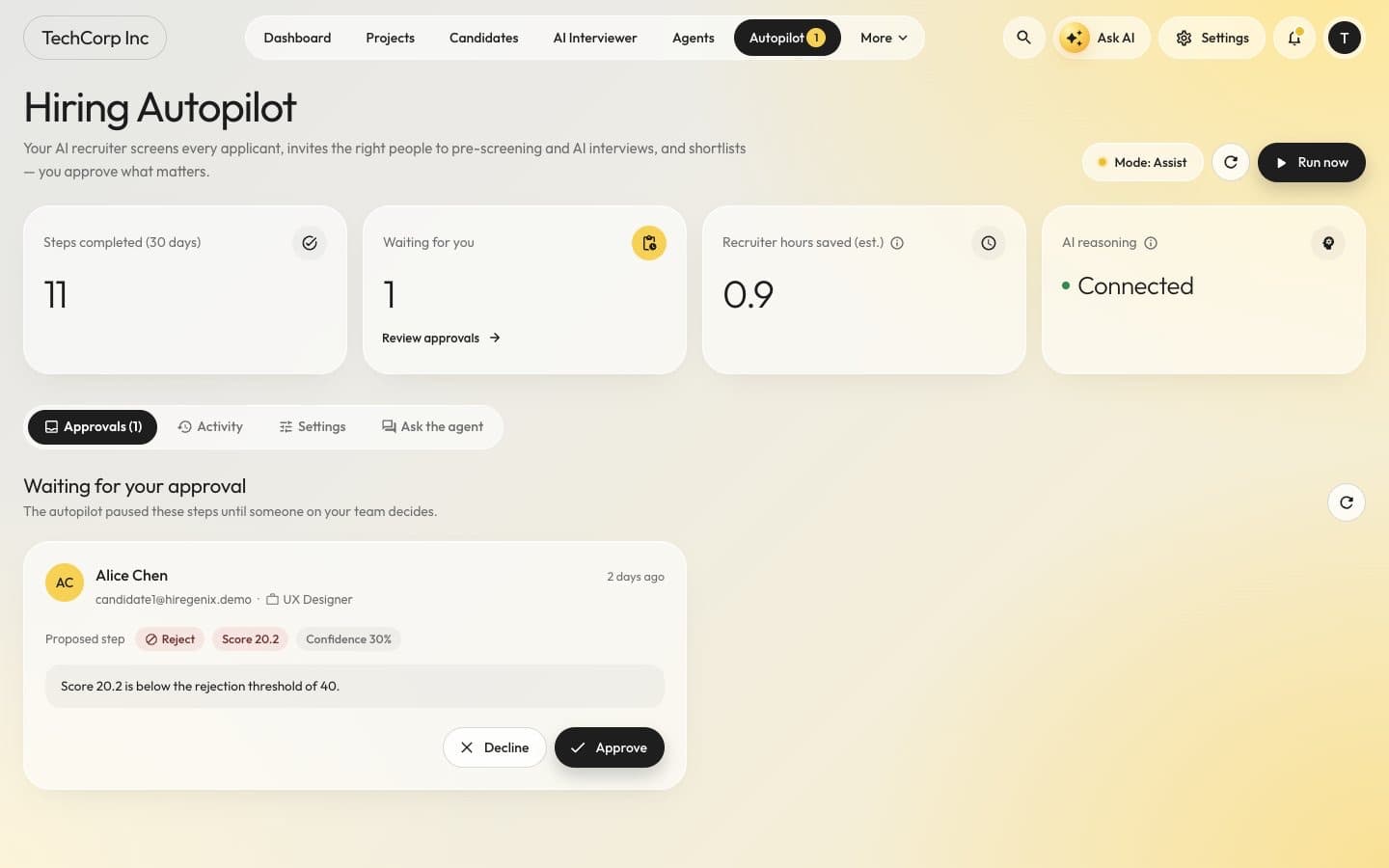
A step waiting for approval in Hiring Autopilot (sample data). Autonomy levels
Presets from Off to Full; under Full, adverse actions still wait for a person.- A0Observe. The agent analyses and reports only.
- A1Suggest. The agent proposes; a person acts.
- A2Approval required. The agent prepares the action; it runs after a person approves.
- A3Act with undo. The agent acts and tells you; a person can undo within the undo window.
- A4Act. The agent acts; its work is reviewed in aggregate.
The legal floor
Offers, offer changes and withdrawals, integrity outcomes, biometric decisions and fraud-case actions never run above A2. An automatic rejection from proctoring signals is impossible.Automated rejection, only if you choose it
Rejection after resume screening can run on its own only when an organization admin turns it on and acknowledges the legal warning. It runs with an undo window; messages already sent are not recalled.
One runtime
Built to be accountable
One AI runtime
Every model call goes through the Agents API and its model gateway, which picks the model per capability and organization and records a trace. The web app holds no model keys.Budgets per organization
Monthly AI budgets per organization. When a budget is used up, agents answer with rules instead of overspending.Rules when there is no model
Without a configured model, agents fall back to deterministic rules instead of failing.Durable work
Workflows survive restarts, and approvals can wait for days and escalate without losing their place.Least-privilege tools
Agents act through a tool server with a manifest per role. Data tools are read-only and scoped to the workspace.Audit trail
An append-only audit trail with one hash chain per organization that you can export and verify. Agent runs stream live to the browser, step by step.
In the product
Light and dark, phone to wide screen
Command Center in dark mode
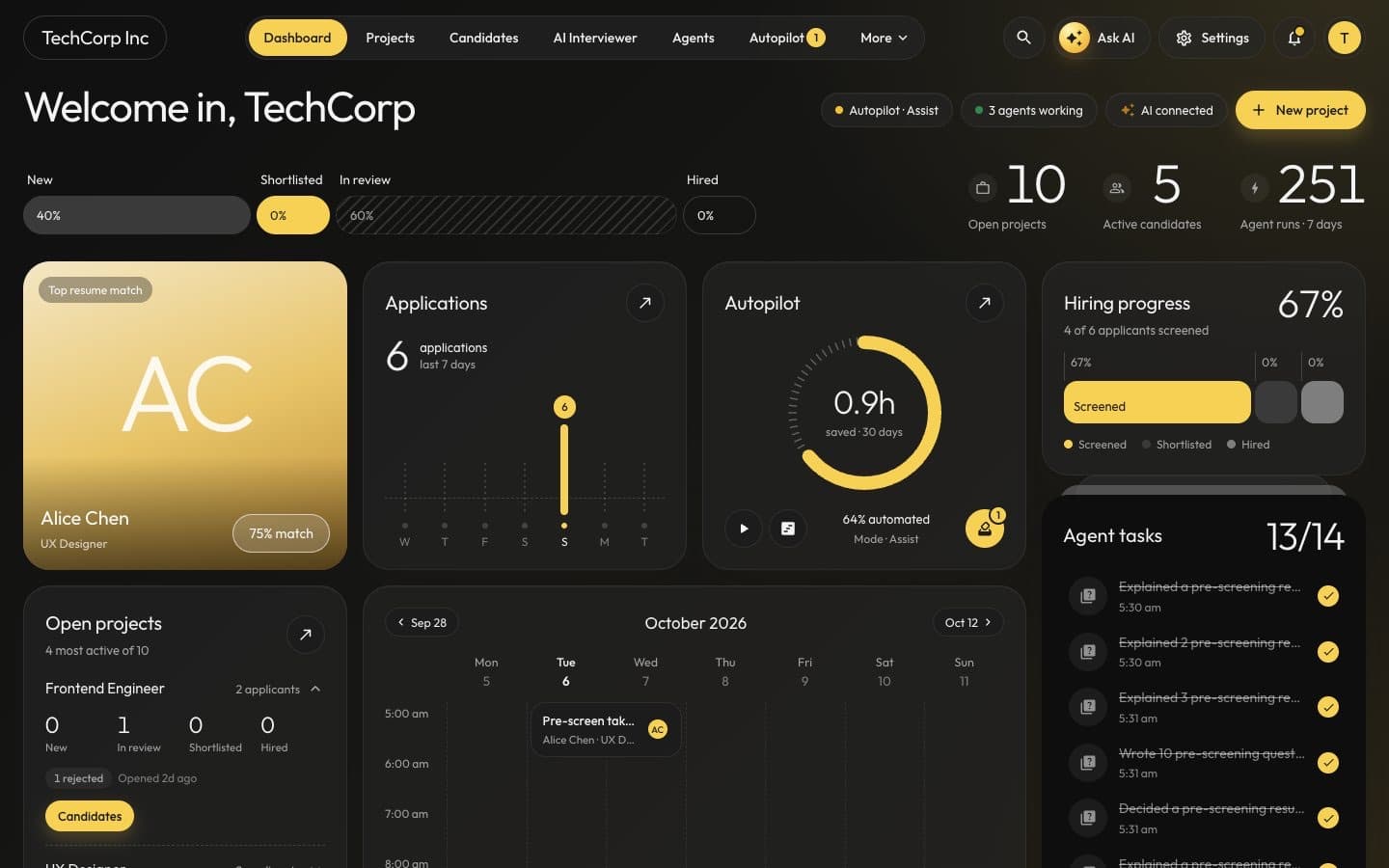
Command Center, dark mode (sample data). On your phone
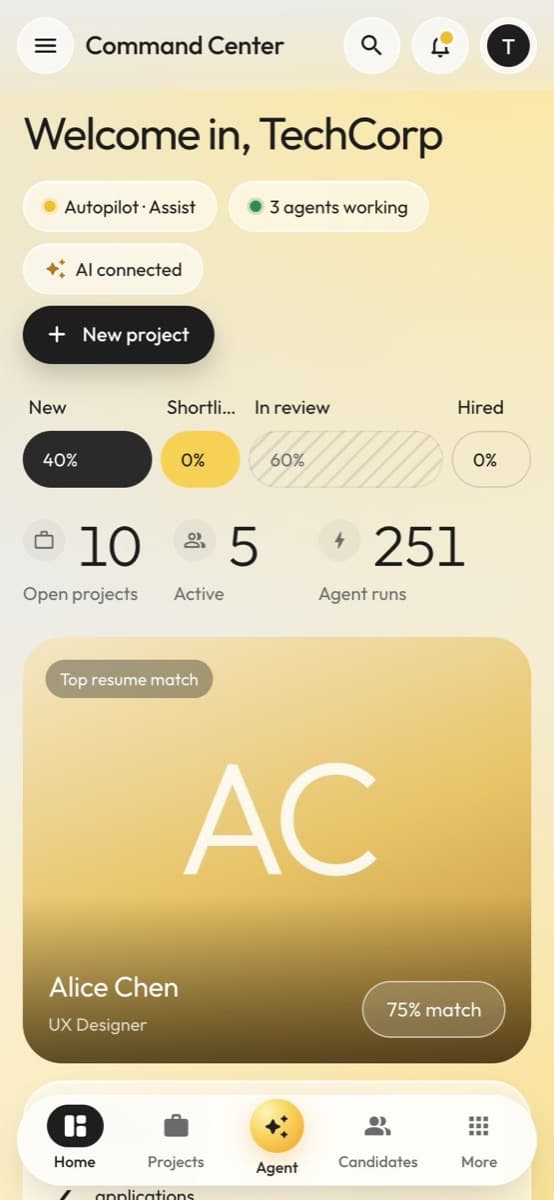
Command Center on a phone (sample data).
Questions
Platform questions
A chatbot answers questions. The AI CHRO owns goals: it writes a plan, delegates the work to department heads and their specialist agents, checks progress and asks people for the approvals the plan needs.
Every action type runs at a level from A0 (observe) to A4 (act), set per workspace and per job. Presets go from Off to Full, but adverse actions stay at A2 even under Full, and the legal floor keeps offers, integrity outcomes, biometric decisions and fraud-case actions at A2.
Actions that run at A3 can be undone within the undo window, which a workspace can change. Undoing a rejection puts the application back where it was, although messages that were already sent are not recalled.
Azure OpenAI by default. Models can be configured per capability, and every call goes through one model gateway that enforces budgets per organization and records a trace. Without a model, agents fall back to rules.
Yes, from your feedback: when you edit or dismiss a proposal it becomes a lesson for that agent, and the Agent Console collects feedback that agents learn from.
See your AI CHRO at work
Book a demo to see goals, plans, agents and approvals working together on a hiring process like yours.